|
|
|
| Page Hits : 11155 |
|
 |
Mercantile Exchange Blog |
 |
 |
| |
Jul 11 2013 |
| Did You Know? - Fact 6 |
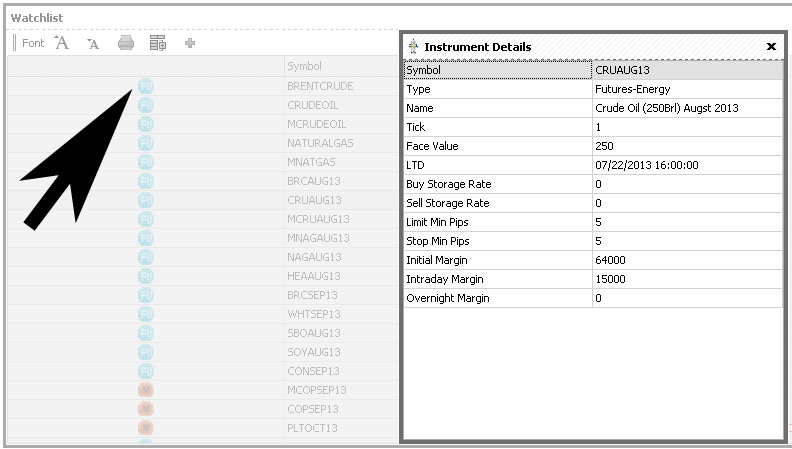
How to view instrument details?
Traders can view the instrument details by simply clicking on the instrument icon, provided on the first column of the Watchlist dialog box.
You are only a click away from your Instrument Details!
Isn’t this simple and convenient?
|
|
|
| Posted by at 4:42:00 PM |
| -------------------------------------------------------------------------------------------------------------- |
|
| Leave a Reply |
 47 Visit(s) |
|
|
|
|
| |
0 Comment(s) |
|
|
Blog Home |
|
 |
|
|
 |
|
|
|
|
|


